How to Create a Project in Studio 5000 (Step by Step, v33)
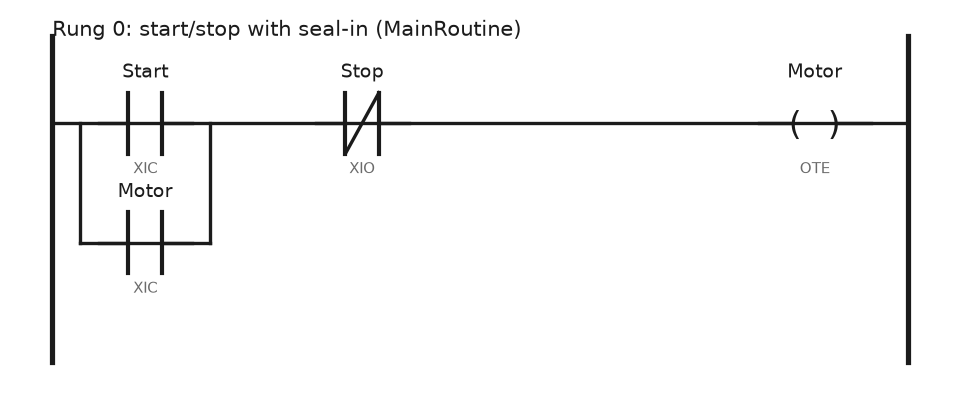
Create a new Studio 5000 Logix Designer project the right way: pick the controller, match the firmware revision, add I/O, write the first rung, download and go online.
Create a new Studio 5000 Logix Designer project the right way: pick the controller, match the firmware revision, add I/O, write the first rung, download and go online.
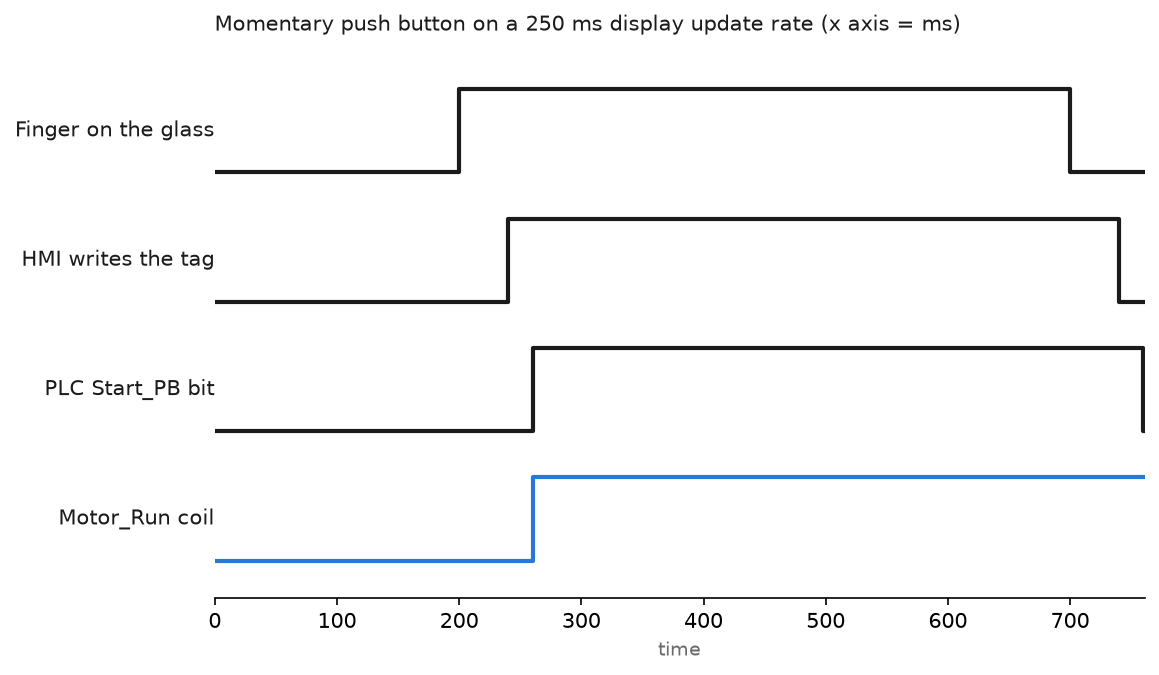
From a blank FactoryTalk View ME application to a running PanelView Plus screen: shortcuts, tag syntax, a momentary push button and the MER transfer.
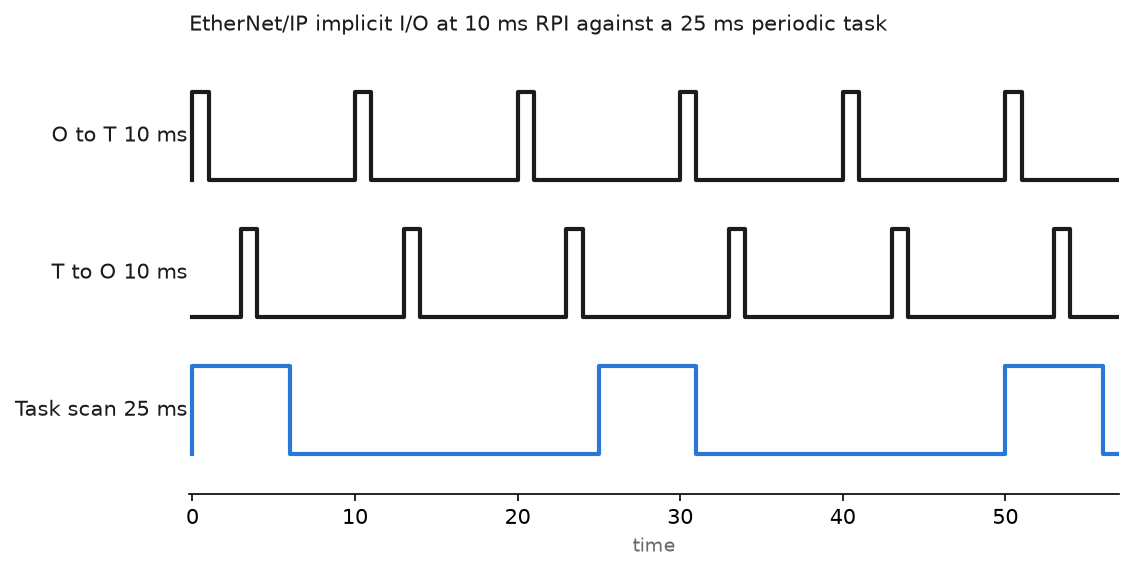
Set up EtherNet/IP between a Logix controller, remote I/O and a drive: RPI, unicast vs multicast, MSG paths, and the fault codes you will really see.

RSLogix 500 emulator program is a software simulator for SLC500 plcs. You can load your plc programs to the emulator and run and simulate without the need for real plc. Where can I download the RSLogix 500 program? The RSLogix program can be downloaded from the Product Download page on the Rockwell site. . You … Read more

In order to upload a program to the PLC, you must first be able to connect to the PLC. If you do not know how to connect to a PLC, I recommend you to read the article on how to connect to a PLC on our site. In this article, I will talk about how … Read more
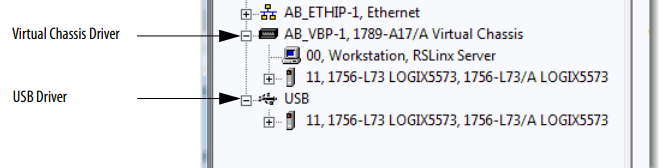
If the controller (usually 1756-L7x ControlLogix and over ) has a USB port that uses a Type B receptacle. The port is USB2.0 compatible and runs at 12 Mbps. to use the USB port of the controller, you must have RSLinx® software, version 2.56 or later, installed on your workstation. Use a USB cable to … Read more

How to communicate with PLC via Excel? In order to get data from PLC with Excel, we need to use OPC. If you are using Rockwell Allen-Bradley plc, no other tool is required for OPC because we can transfer data from Allen-Bradley PLCs via OPC with the RSlinx application. Note that the RSLinx application we … Read more
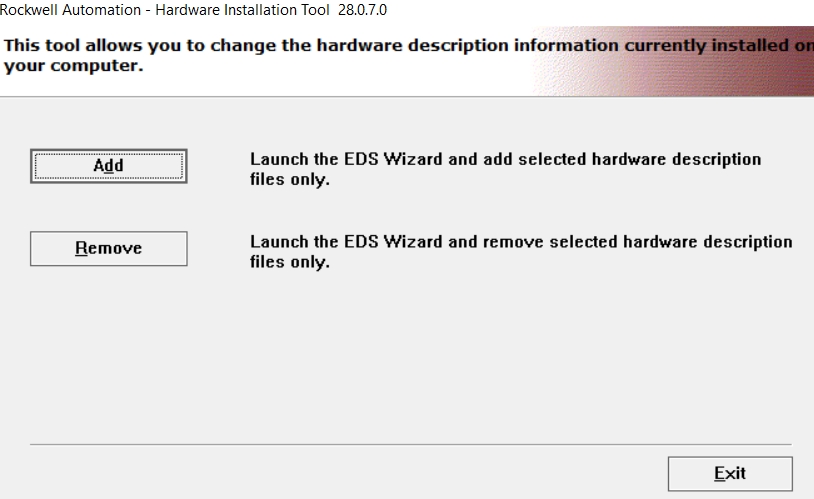
EDS Hardware Installation Tool We will use the EDS Hardware Installation Tool program that comes with RSLinx to load Allen Bradley EDS files. Type eds in the search section and run it after finding the program. You will be presented with the wizard window to add and remove EDS like the picture below. Since we … Read more

To connect to the PLC, you need to know which communication ports the PLC you want to connect has. In this article, I will show you how to connect to a virtual PLC on Emulator. If you do not know the emulator settings or if you are going to work with the PLC emulator for … Read more

RSLinx PLC Configuration Open up RSLinx program and click Communications > Configure Drivers and Select the virtual backplane driver in the list. You will all driver types. Choose Virtual Backplane driver. Choose a name for the driver.Then click OK button. After configure virtual backplane you will see status of driver. Status should be running if … Read more
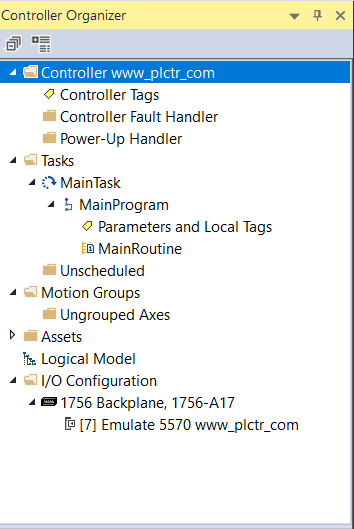
PLC Programming on Emulator We mentioned the use and installation of Studio 5000 emulators, in our previous article, You can access this article from the link below. Studio 5000 Logix Emulate (Virtual PLC) Now we will talk about how to install the plc program using the studio 5000 emulator. When we open Studio 5000 program, … Read more

When you start RsLogix emulator, you will see a window like the one below. Open the existing PLC file under the File menu or by clicking the Open icon. After opening the file, pass the screen by typing station number. When your PLC file is loaded into the emulator, you can run the plc program … Read more