Rockwell PLC Software: Which Tool for Which Controller
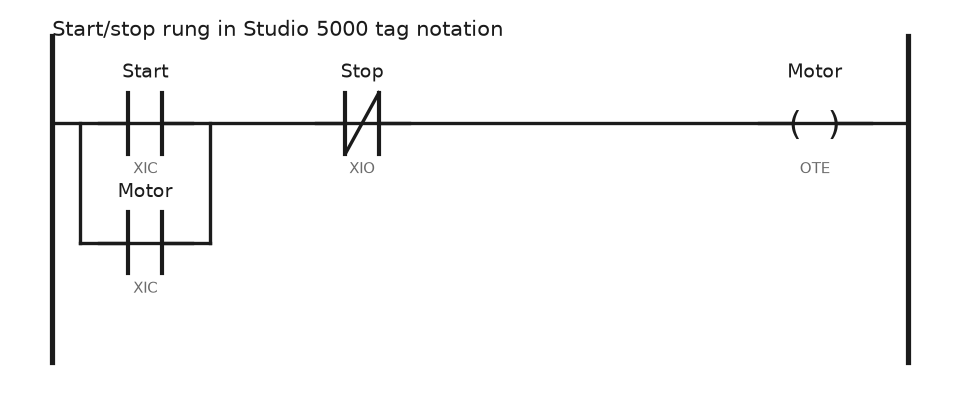
A working map of Rockwell PLC software: Studio 5000 editions, RSLogix 500, RSLinx Classic against FactoryTalk Linx, View ME and SE, Emulate and firmware.
A working map of Rockwell PLC software: Studio 5000 editions, RSLogix 500, RSLinx Classic against FactoryTalk Linx, View ME and SE, Emulate and firmware.

RSLogix 500 emulator program is a software simulator for SLC500 plcs. You can load your plc programs to the emulator and run and simulate without the need for real plc. Where can I download the RSLogix 500 program? The RSLogix program can be downloaded from the Product Download page on the Rockwell site. . You … Read more
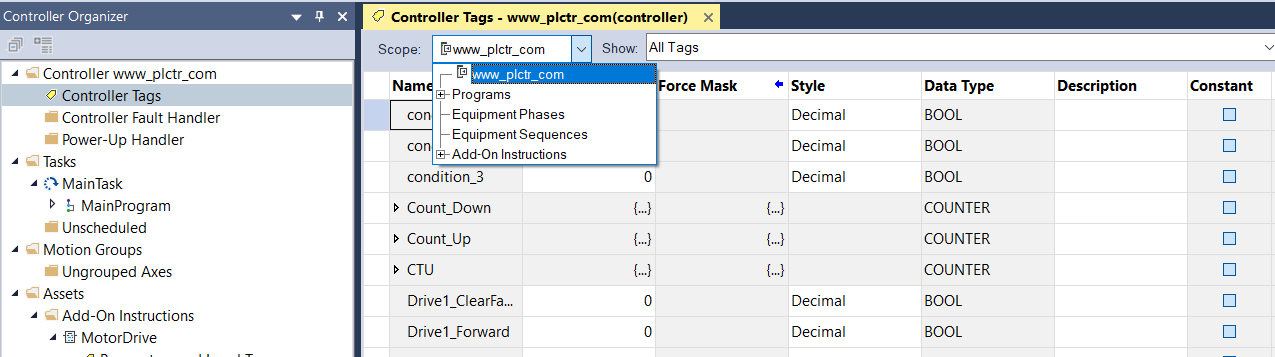
How do I open the Tag Editor? Tags are stored in the tag database associated with a Logix Designer project. Use the Tag Editor to create and manage tags. Access the Tag Editor from the Edit Tags tab in these windows: Controller Tags Parameters and Local Tags (when working with Program tags, Equipment Phase tags, Equipment Sequence tags, or Add-On Instruction tags) … Read more

PLC Programming PID Control In the previous article, we gave information about what is PID and PID control. Now we will learn how to control the pressure with PID in PLC. PLC PID Control Automation In the following program example, the PID instruction is used to control the pressure of a vessel using a pressure … Read more
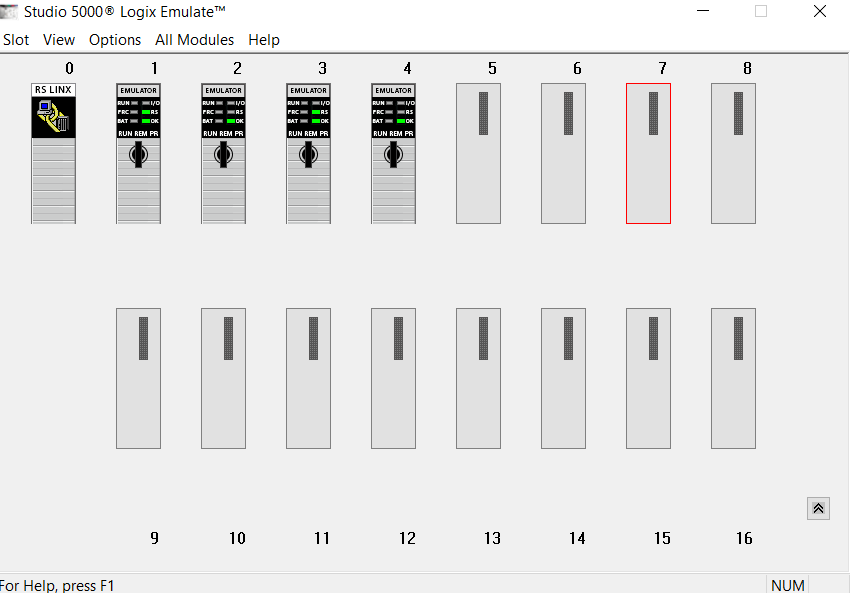
Studio 5000 Logix Emulate Usage It is a virtual PLC where you test the software you usually write without having a real PLC CPU with Studio 5000 Logix Emulators. Studio 5000 Logix Emulator software is a licensed program, so you must download the software by entering your license number from the Rockwell download page and … Read more

When you start RsLogix emulator, you will see a window like the one below. Open the existing PLC file under the File menu or by clicking the Open icon. After opening the file, pass the screen by typing station number. When your PLC file is loaded into the emulator, you can run the plc program … Read more

Allen Bradley SLC 500 Errors SLC 500 Major Error Codes can be found in: Processor Status in RSLogix 500 Data File S2 Status Errors S:6 = xxxxh (hex 0 to FFFF) Whenever major error is encountered bit S:1/13 – Major Error Halted Bit is set. S:54 – Last Major Error Fault Code mirrors the last error code value stored … Read more
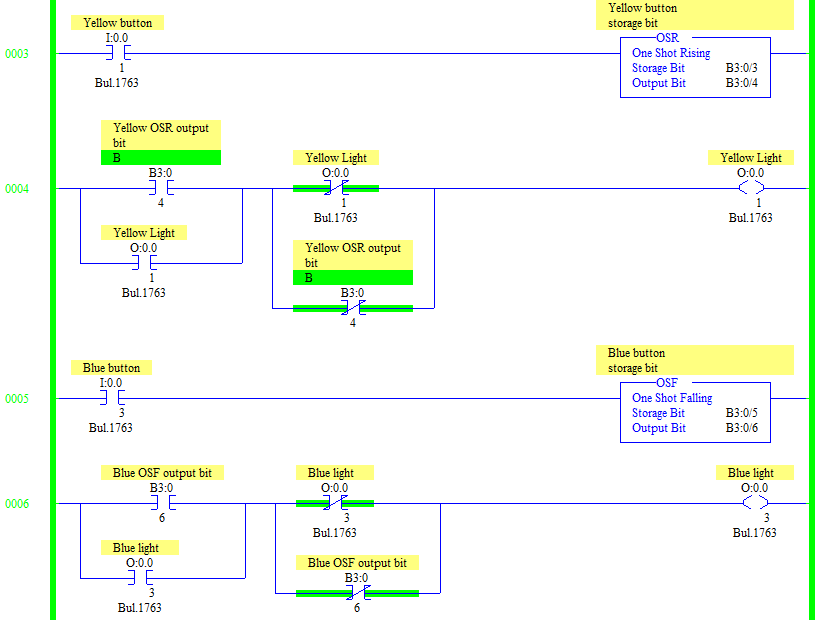
OSR One Shot Rising – Rungs 3 and 4 use the OSR One Shot Rising bit. Pressing the Yellow Button once will turn on the Yellow Light. Pressing the Yellow Button again will turn off the Yellow Light. The OSR One Shot Rising has two bits. Storage bit – is used to remember the state of the … Read more