Wellhead ESD Logic and RTU Polling on a Remote Pad
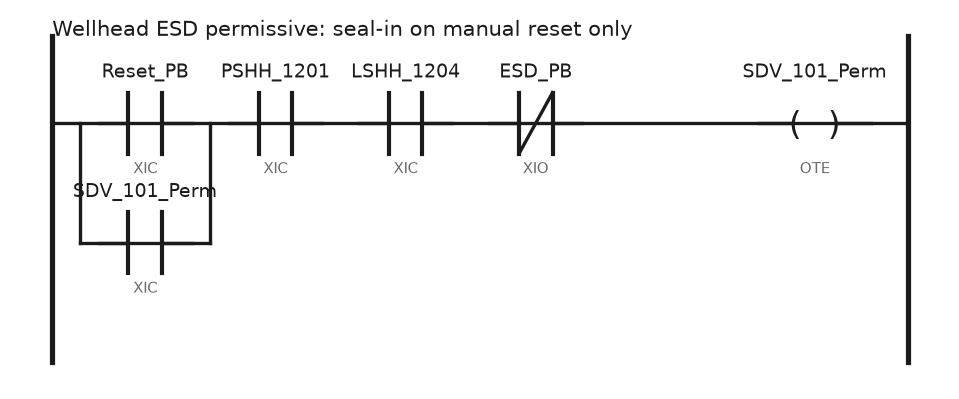
Wellpad controller choice, an ESD permissive rung that will not auto restart, Modbus poll budgets over radio, flow computers and tank farm level control.
Wellpad controller choice, an ESD permissive rung that will not auto restart, Modbus poll budgets over radio, flow computers and tank farm level control.
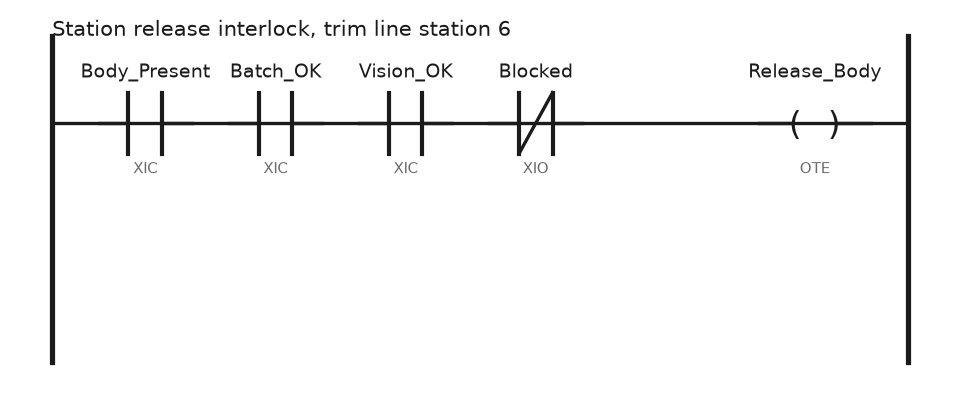
Station and line PLC split, a PackML state machine in Structured Text, torque tool error proofing, andon stops and downtime that blames the right station.
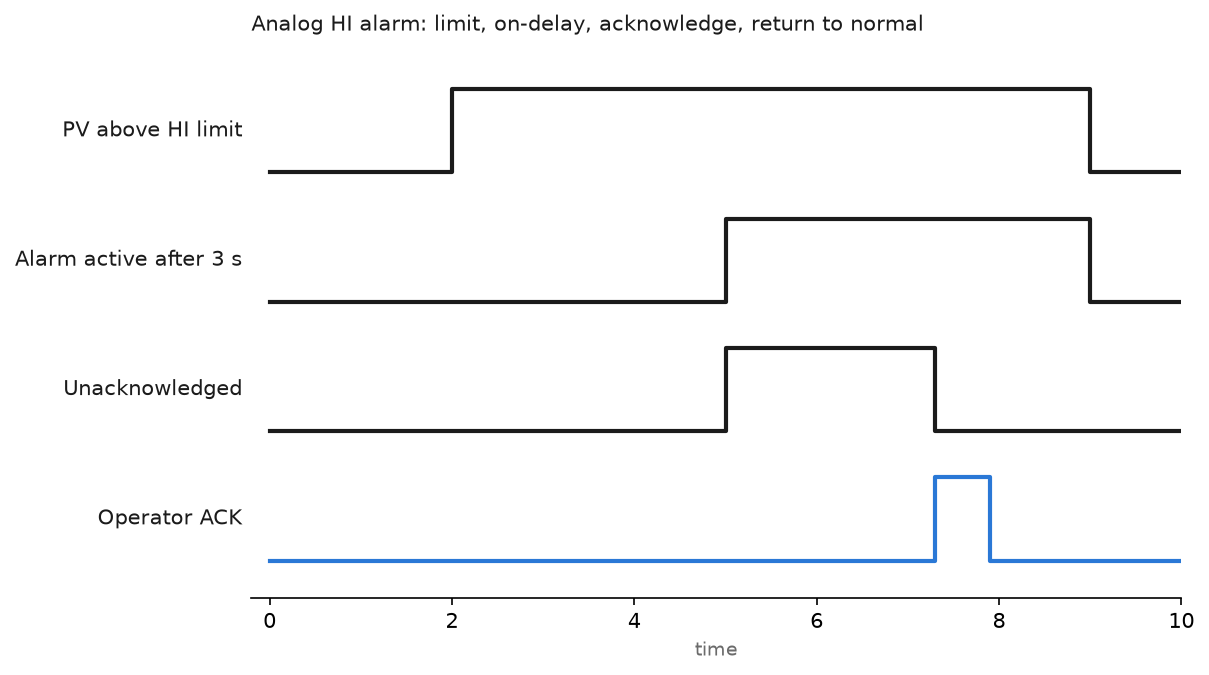
PLC vs DCS programming compared by an engineer who works on both: tags and rungs against loops and blocks, redundancy, alarms, batch and real cost.
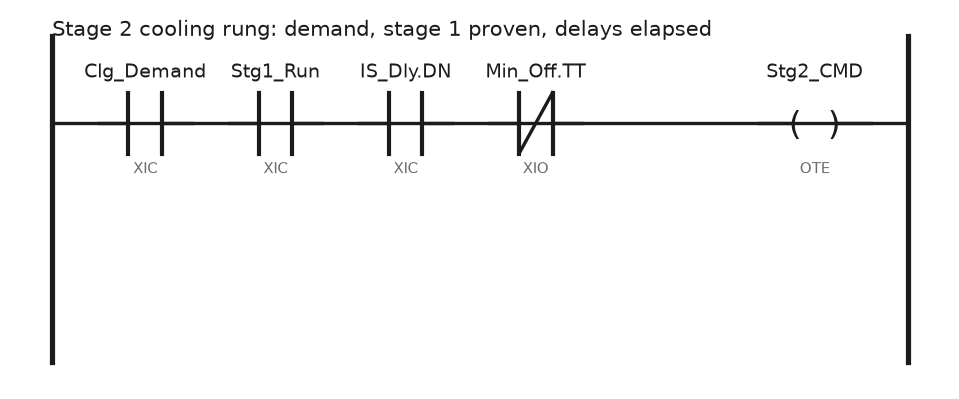
PLC building automation that a stranger can maintain: naming, sequences of operation in the code, staging, BACnet mapping, trends, alarms and overrides.
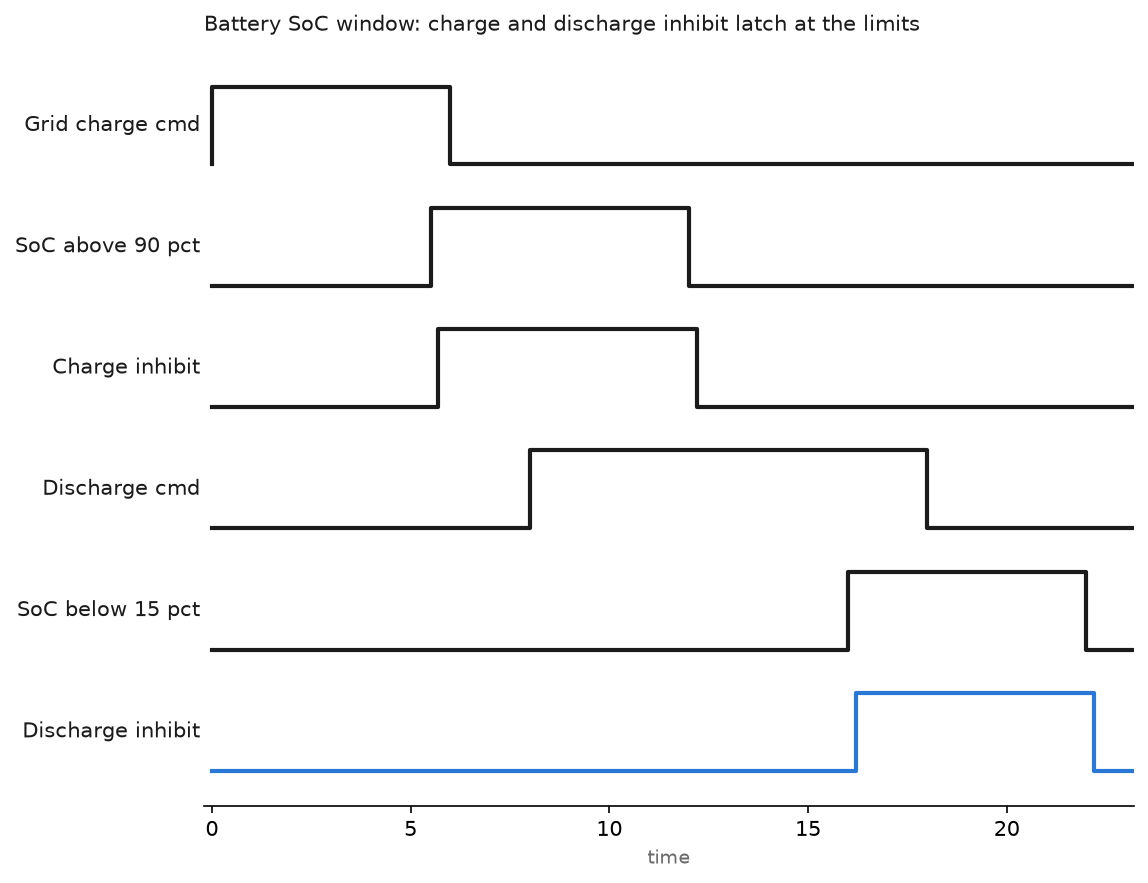
SunSpec Modbus inverter limits, tracker stow, wind turbine pitch and yaw, a battery SoC window with BMS handshake, and curtailment setpoints over DNP3.
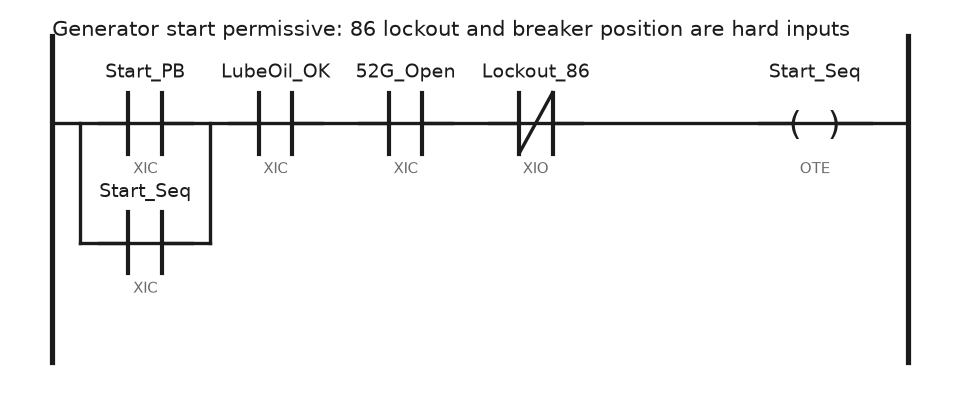
Where the PLC stops and the relay starts, a generator start permissive rung, the synchronising handshake, load shed stages and switchgear interlocks.
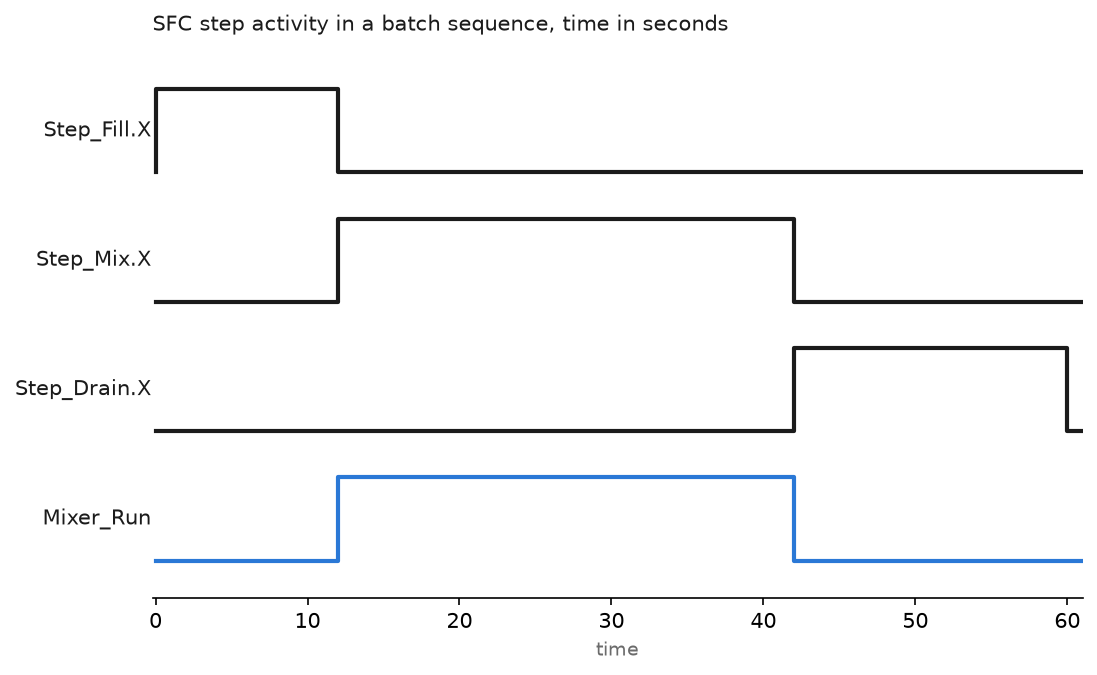
Build a working SFC in Studio 5000: steps, transitions, action qualifiers, the SFC Execution settings that decide what happens on a restart, and S7-GRAPH.
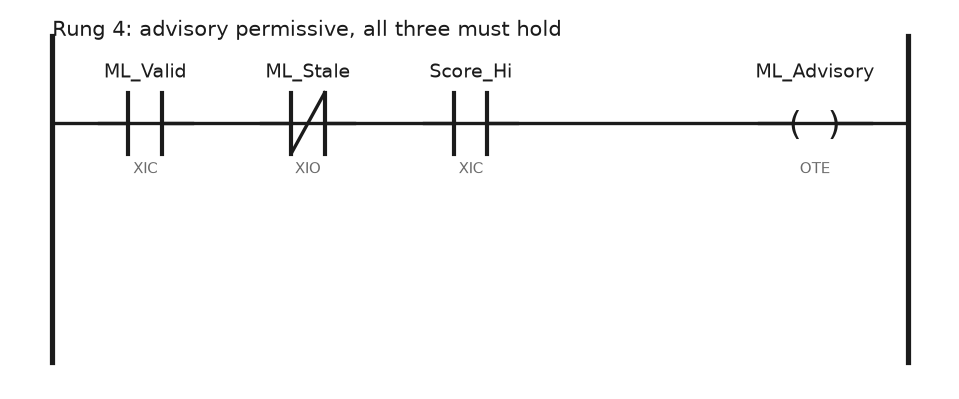
The PLC does not run the model. What to publish, how the score returns as an advisory tag with a watchdog, and a pump anomaly detector on CompactLogix.
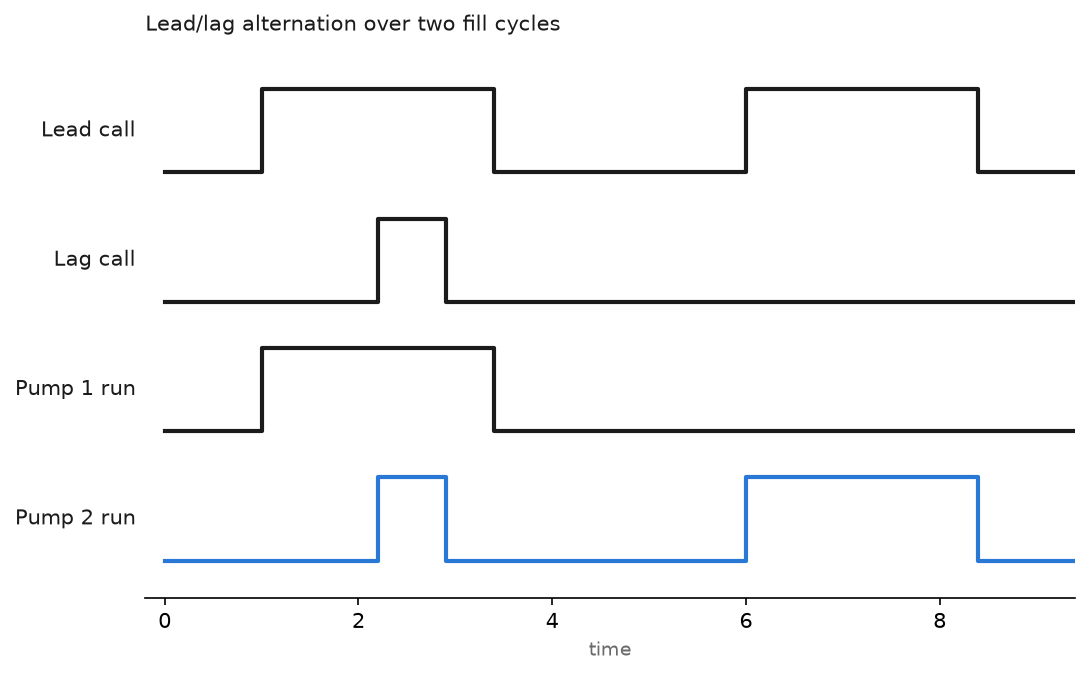
Wet well level control, pump alternation that shares the wear, chlorine dosing with long dead time, and remote sites over cellular Modbus that go quiet.
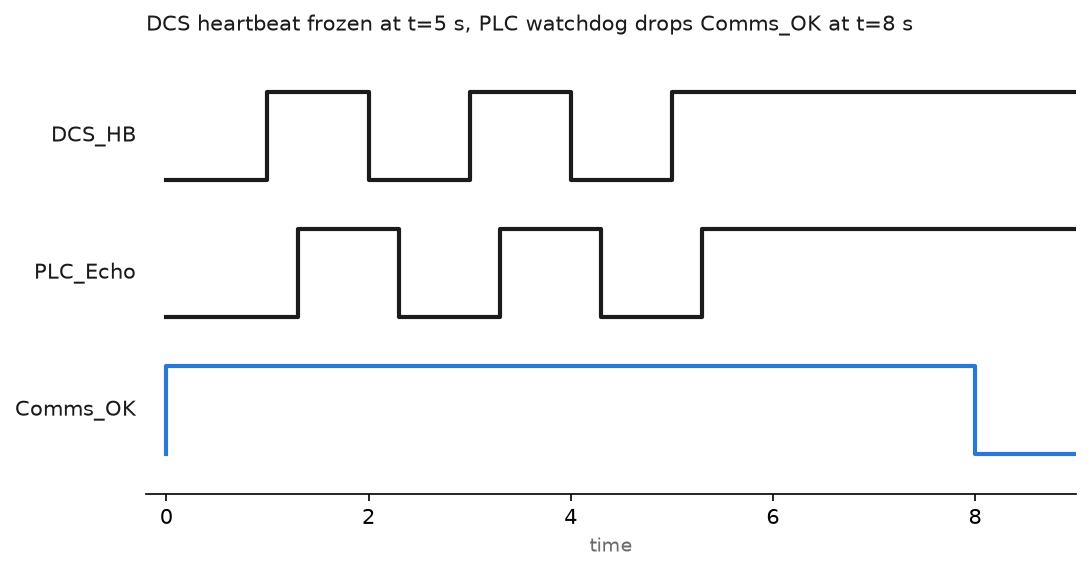
How a packaged skid PLC gets tied into DeltaV, Experion or PCS 7: link protocol, Modbus register map, heartbeat, engineering units and alarm ownership.

How to Create Add-On Instructions in Logix Designer One of the most powerful newer features of the RSLogix 5000 program is the ability to create Add-On Instructions, It is one of the features that makes the algorithm easy and enjoyable for plc programmers. How to create and use the Add-On instruction Now we will go … Read more
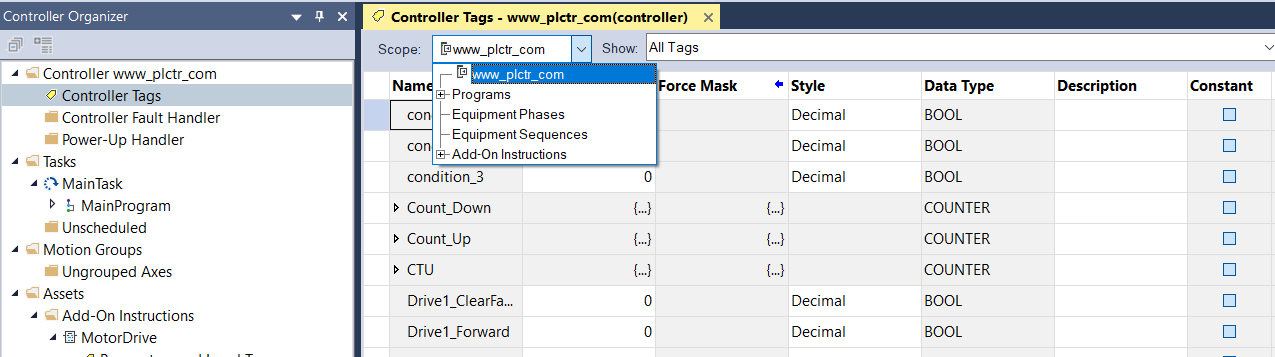
How do I open the Tag Editor? Tags are stored in the tag database associated with a Logix Designer project. Use the Tag Editor to create and manage tags. Access the Tag Editor from the Edit Tags tab in these windows: Controller Tags Parameters and Local Tags (when working with Program tags, Equipment Phase tags, Equipment Sequence tags, or Add-On Instruction tags) … Read more