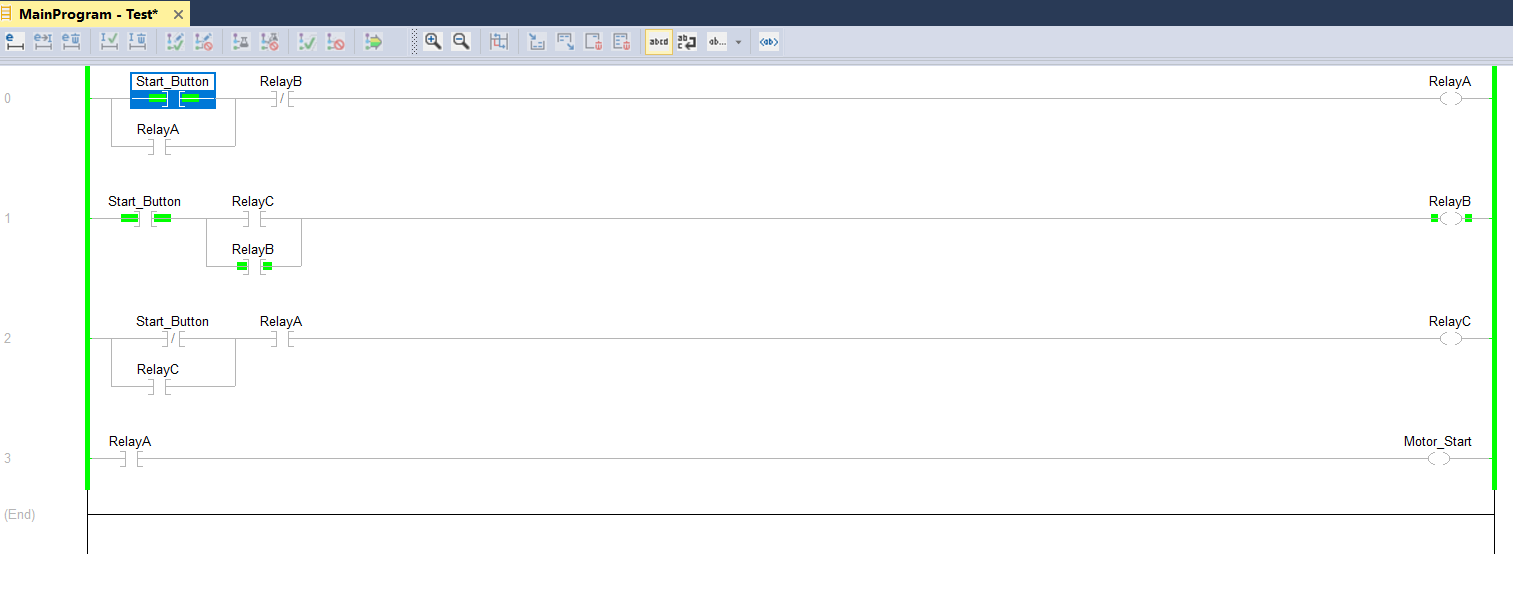
Motor Start/Stop One Button Example
We will examine how to start and stop an engine with a single button.
Of course, while doing this, we plan to do this with minimum staff. In order to be suitable for the electrical circuit, instead of Latch and Unlatch (Set – Reset) commands the contacts that sealed it was used.
Start/Stop control consists of 3 stages with one button.
Stage 1: This is when the button is first pressed and still pressed. (When the start button input comes in and the motor starts running.)
Stage 2: This is the situation where you pull your hand from the button, that is, the Start_Button input is missing, but the engine continues to run.
Stage 3: This is the state that we press the button to stop a second time. The state where the start button input comes and the motor stops.
PLC Program:
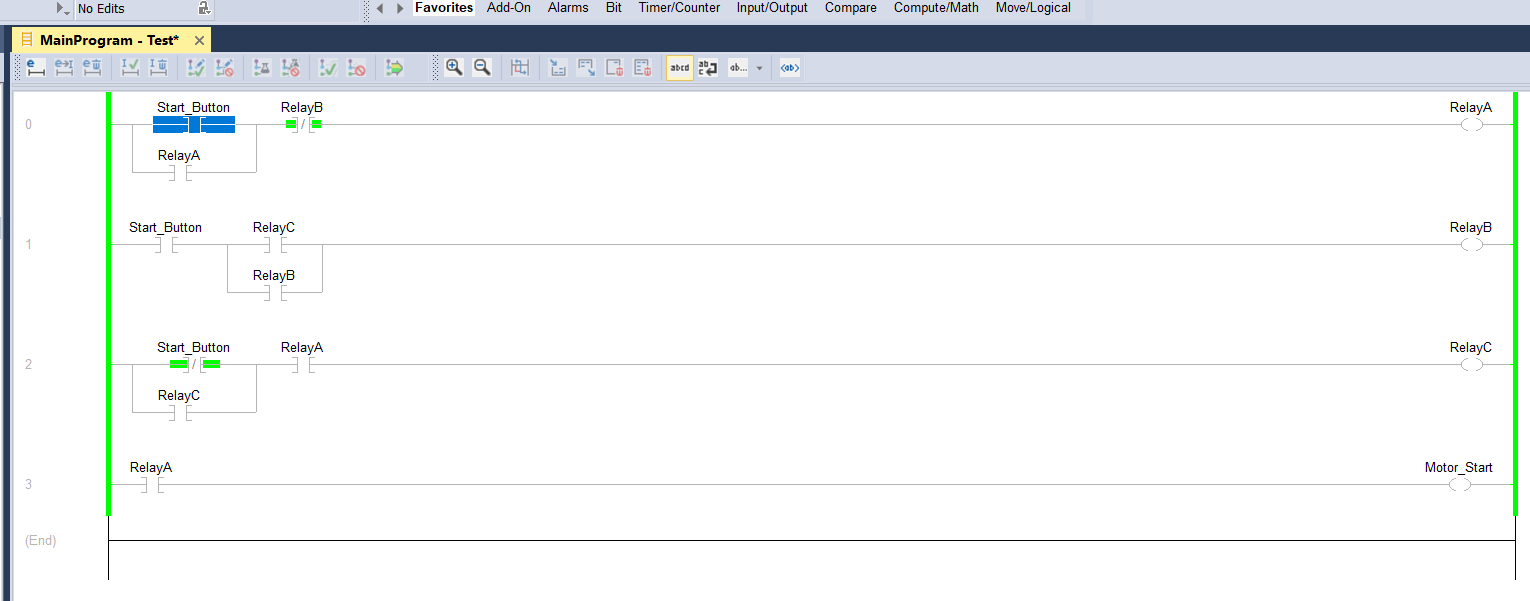
Stage 1: Start Input is true, Motor start to run on Relay A.
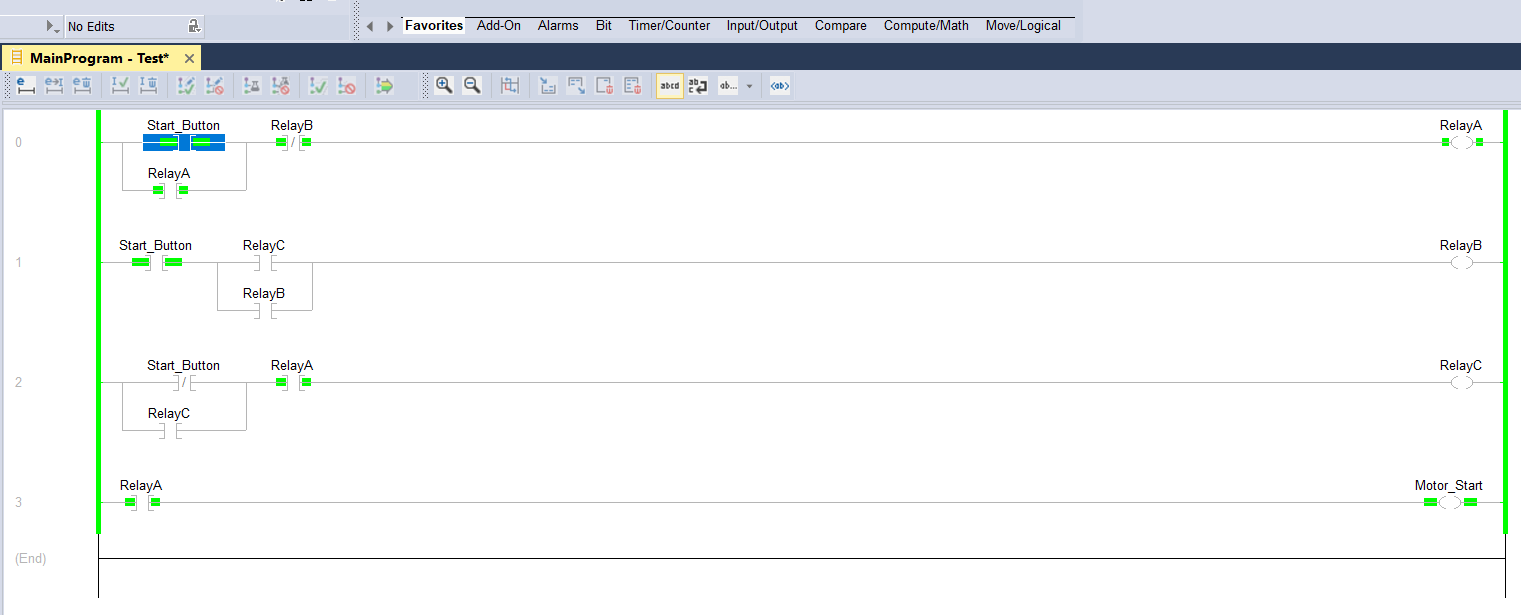
Stage 2: Start Input is false, Motor still running on Relay A. But in this stage Relay C will be true. Its meaning button one time pressed.
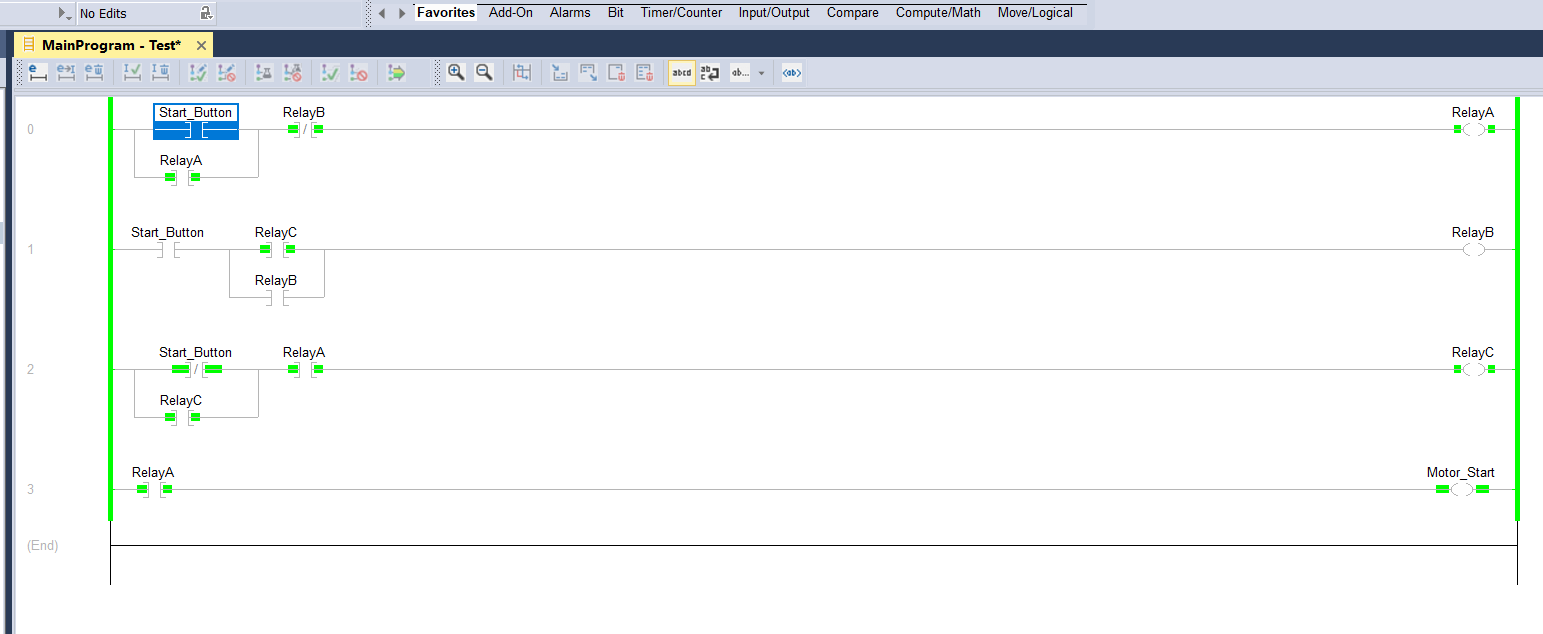
Stage 3: Start Input is false, Motor still running on Relay A. But in stage 2, RelayC was true. and again if Start button input will be true : logic will be completed on first ladder and Relay B will be true and motor will stop.