Cross-Referencing a Tag in Studio 5000 to Find Every Rung That Writes It
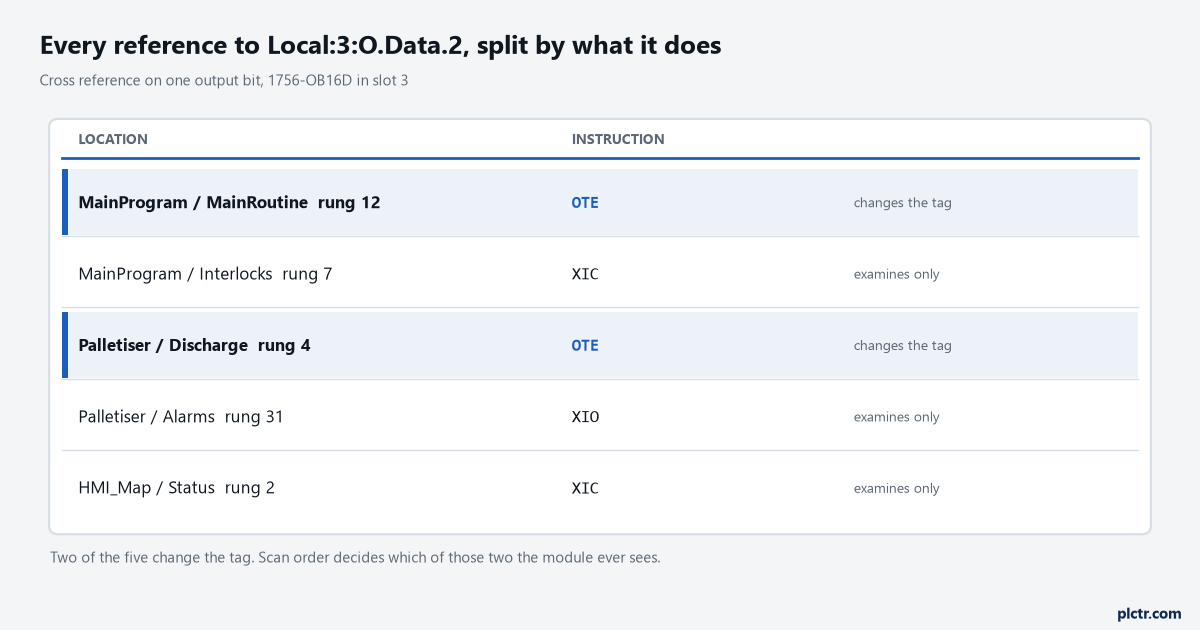
Find every instruction that writes a tag in Studio 5000, tell a write from a read, and work out why an output with two writers flickers on a 1756-OB16D.
Every PLC and HMI tutorial on plctr.com: project setup, ladder and structured text, communication, troubleshooting and commissioning, written from the plant floor.
Find every instruction that writes a tag in Studio 5000, tell a write from a read, and work out why an output with two writers flickers on a 1756-OB16D.
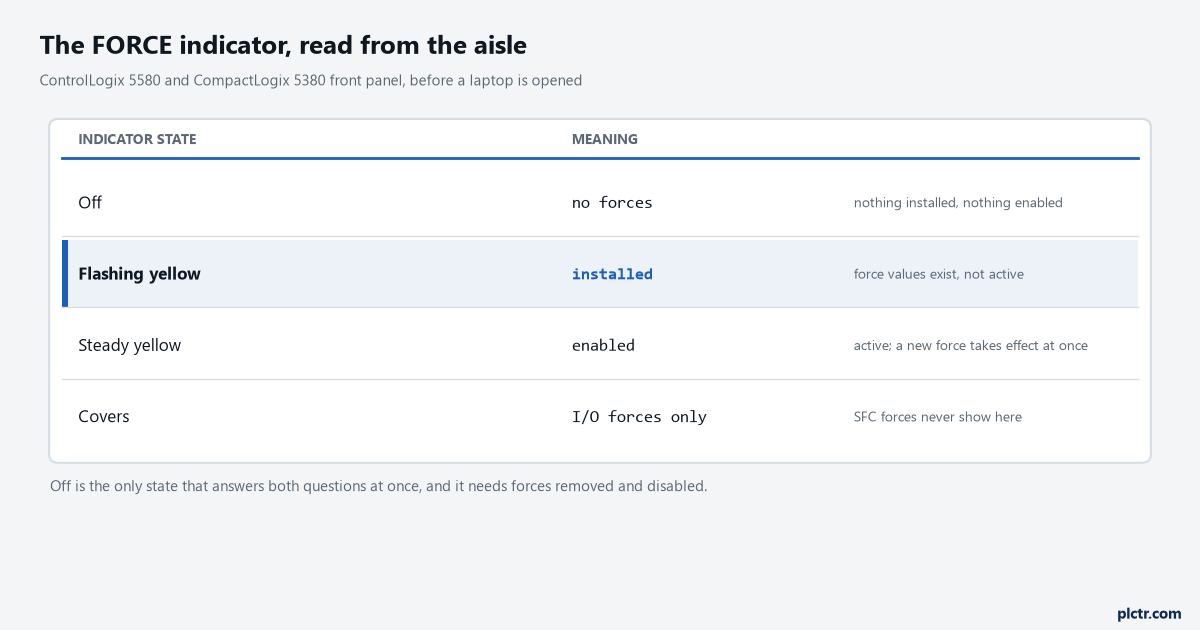
Install a force on a 1756-L83E, enable it, then prove it is gone: the three FORCE indicator states, the GSV that reads force status, Remove vs Disable.
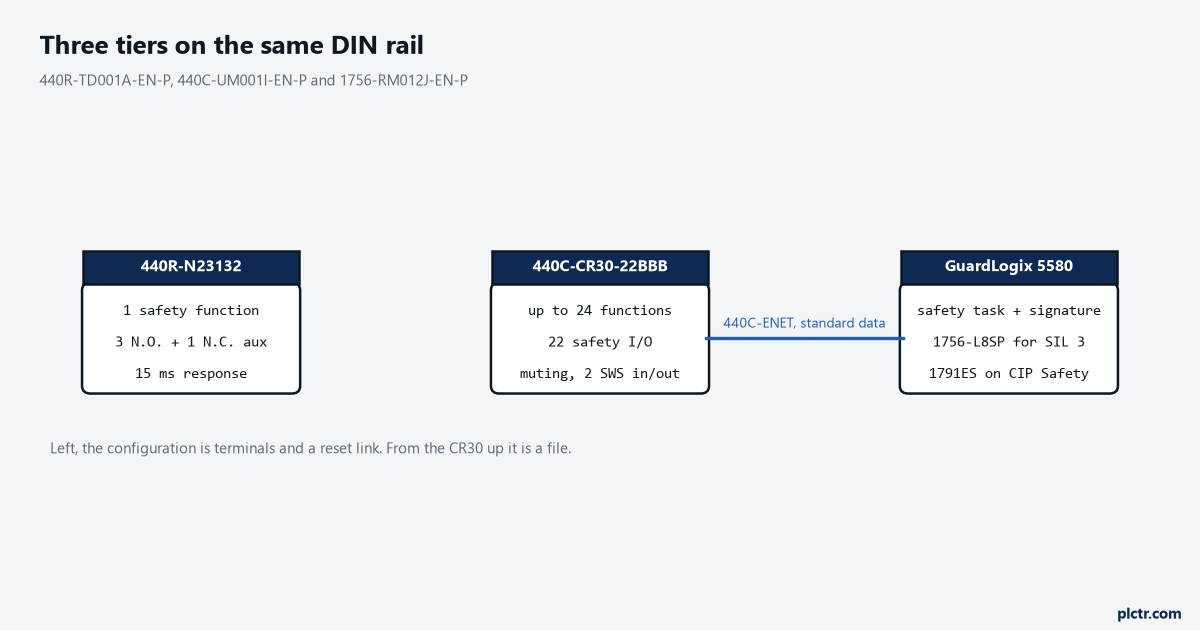
Count the safety functions before you pick the box. Where a 440R relay wins, where a 440C-CR30 takes over, and what a safety network adds to the job.
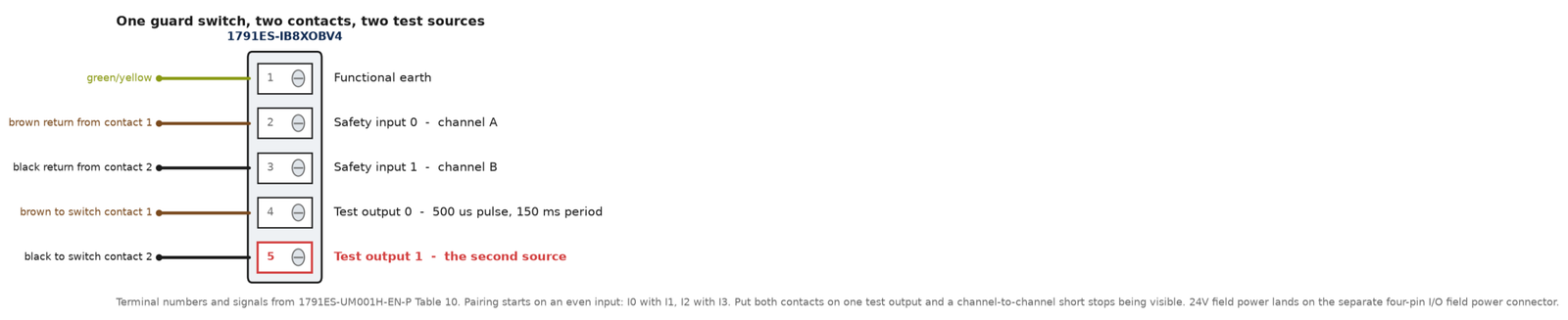
Pick a discrepancy time for a 1791ES dual-channel input from the device that drives it, know which setting the DCS instruction sees, and clear the fault.
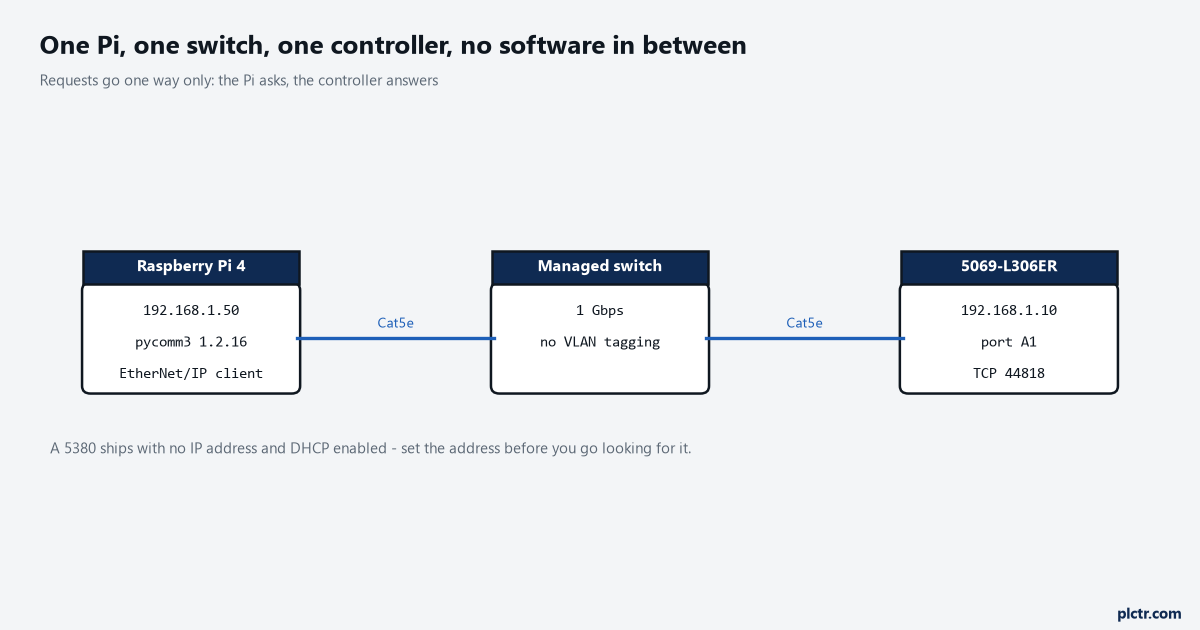
Four lines of Python on a Raspberry Pi 4 read a CompactLogix tag – a REAL out of a 5069-L306ER – and nothing at either end is licensed. pycomm3 1.2.16 speaks EtherNet/IP to TCP port 44818 itself, which takes the OPC server, the Windows box it used to live on and the licence out of … Read more
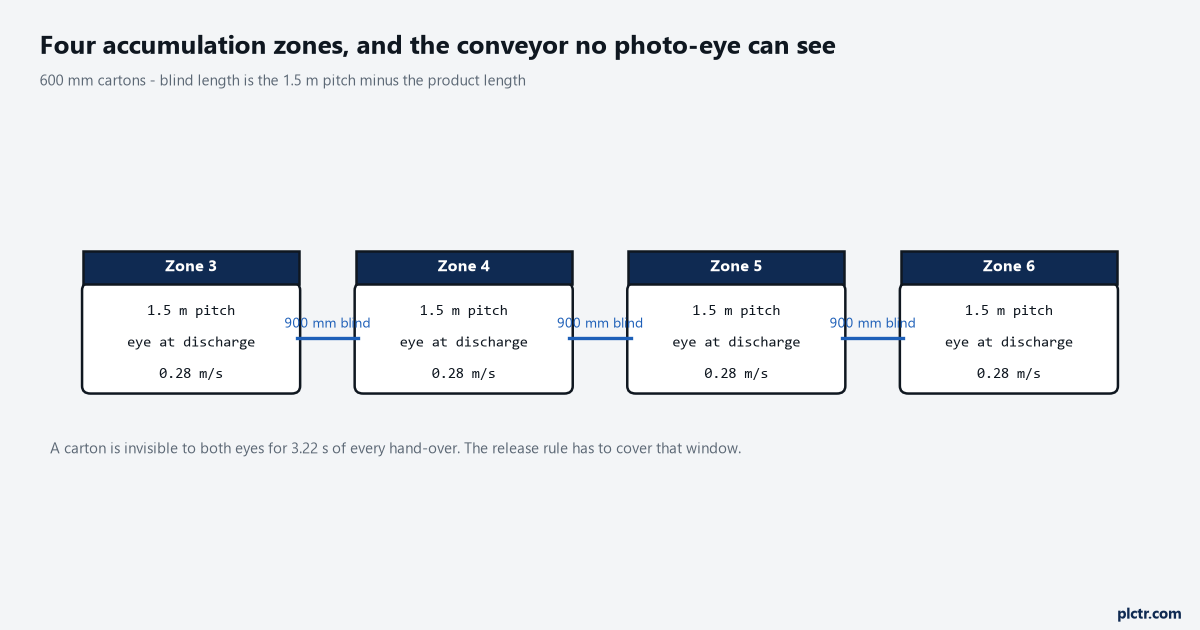
On a 1.5 m zone pitch at 0.28 m/s, a 600 mm carton is invisible to both photo-eyes for 3.2 seconds of its journey between them. An upstream zone whose release permissive is nothing more than “the next eye is clear” will use that window to send a second carton, and the two of them … Read more
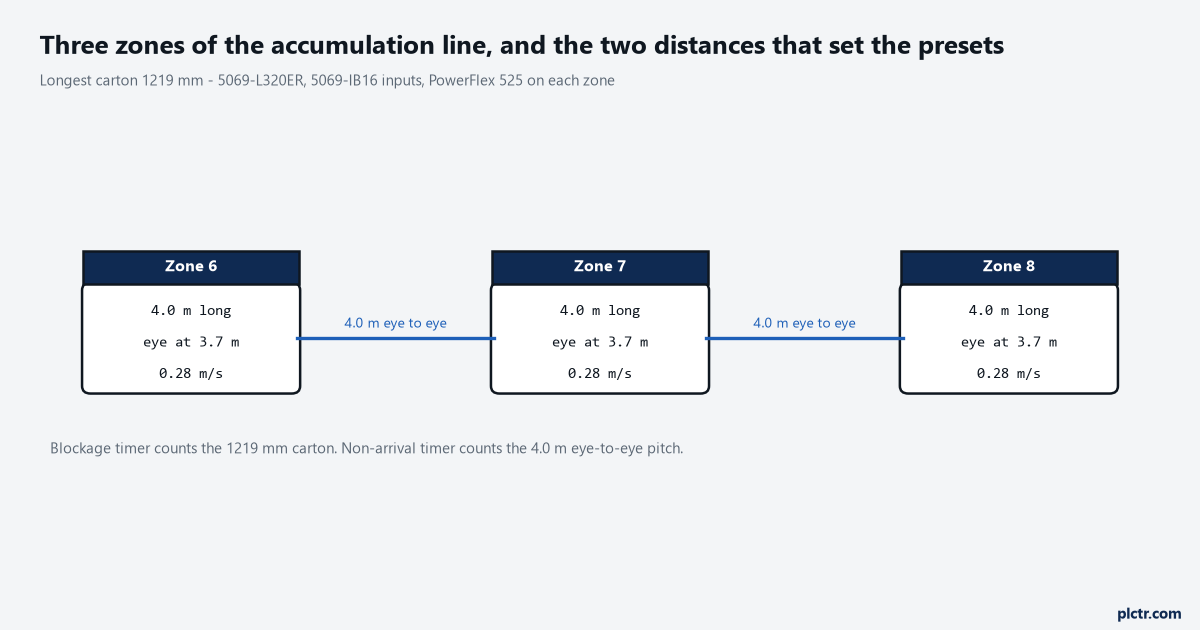
Time it with a stopwatch before you type anything into the preset: the longest carton you run, crossing the photo-eye, on the slowest zone. A 1219 mm carton at 0.28 m/s sits on that eye for 4.35 seconds, which is why the 2000 ms that came across with the copied project trips every time the … Read more
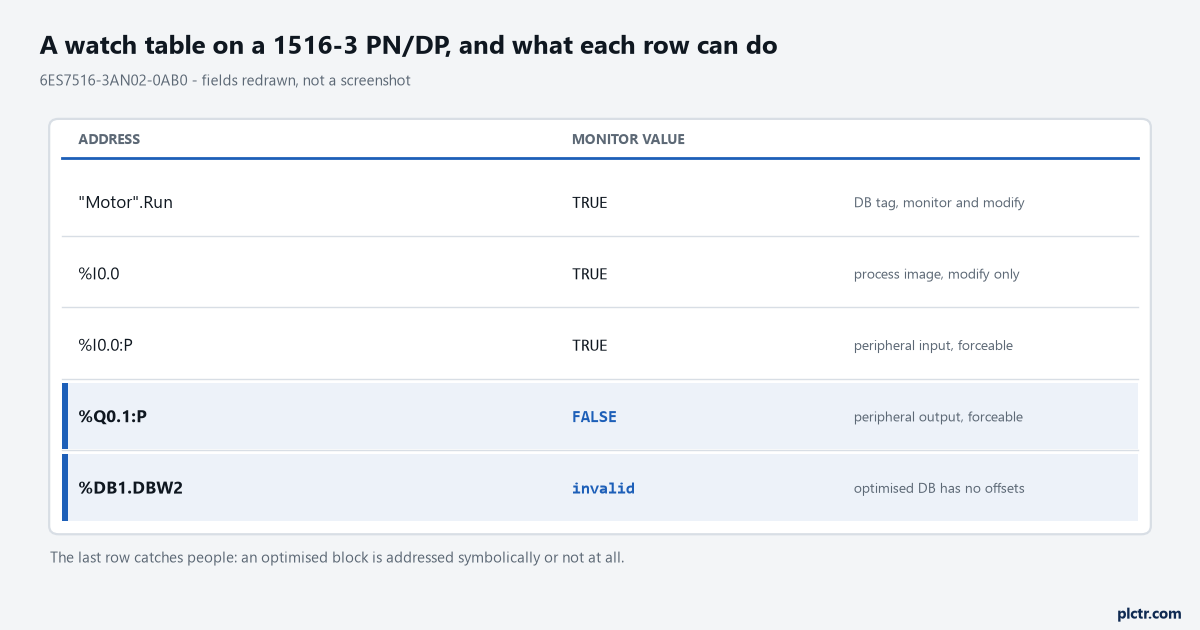
Monitor a block on an S7-1500, build a watch table, and work out why a value sits there: modify against force, optimised blocks, and what STOP does.
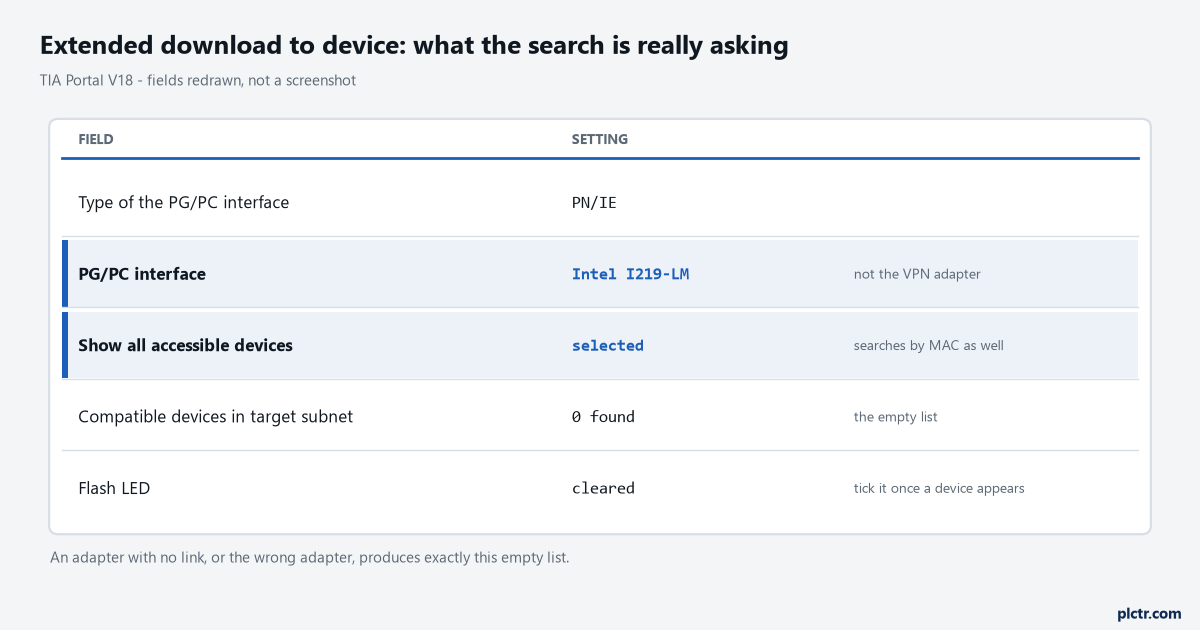
Start search comes back empty on an S7-1200. Work through the PG/PC interface, the subnet, the flash-LED check and a CPU that loads but stays in STOP.
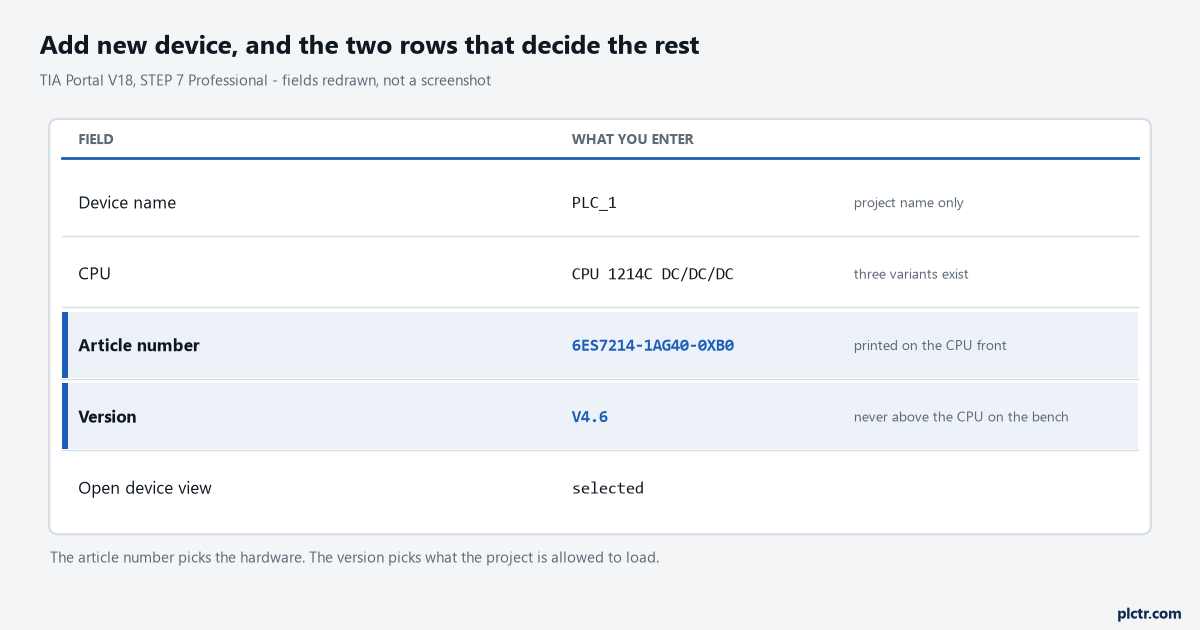
Get a CPU 1214C into an empty TIA Portal project: read the order number off the front, pick the firmware the bench CPU can take, and set the device name.
16#0204 appears twice in the same Rockwell reference manual with two different meanings, and which of the MSG instruction error codes tables you are reading decides where you spend the next hour. In the extended error codes for error 0001 it is Unconnected message timeout. In the module fault codes it is Connection Request Error: … Read more
Produced and consumed tags stop at 500 bytes, and at 480 once the data crosses a network, because the transfer spends 20 of them on overhead. Try to produce an INT array and Logix Designer refuses: DINT, UDINT, LINT, ULINT, REAL and LREAL are the atomic types that go across on their own, and anything … Read more